 CareCard
CareCard GuideVerification
Finding Submissions
Find a student to review on the Verification page using the term selector, Status filter, and search.
The Verification page opens on a Submissions list — one row per student, showing their progress and a Review arrow.
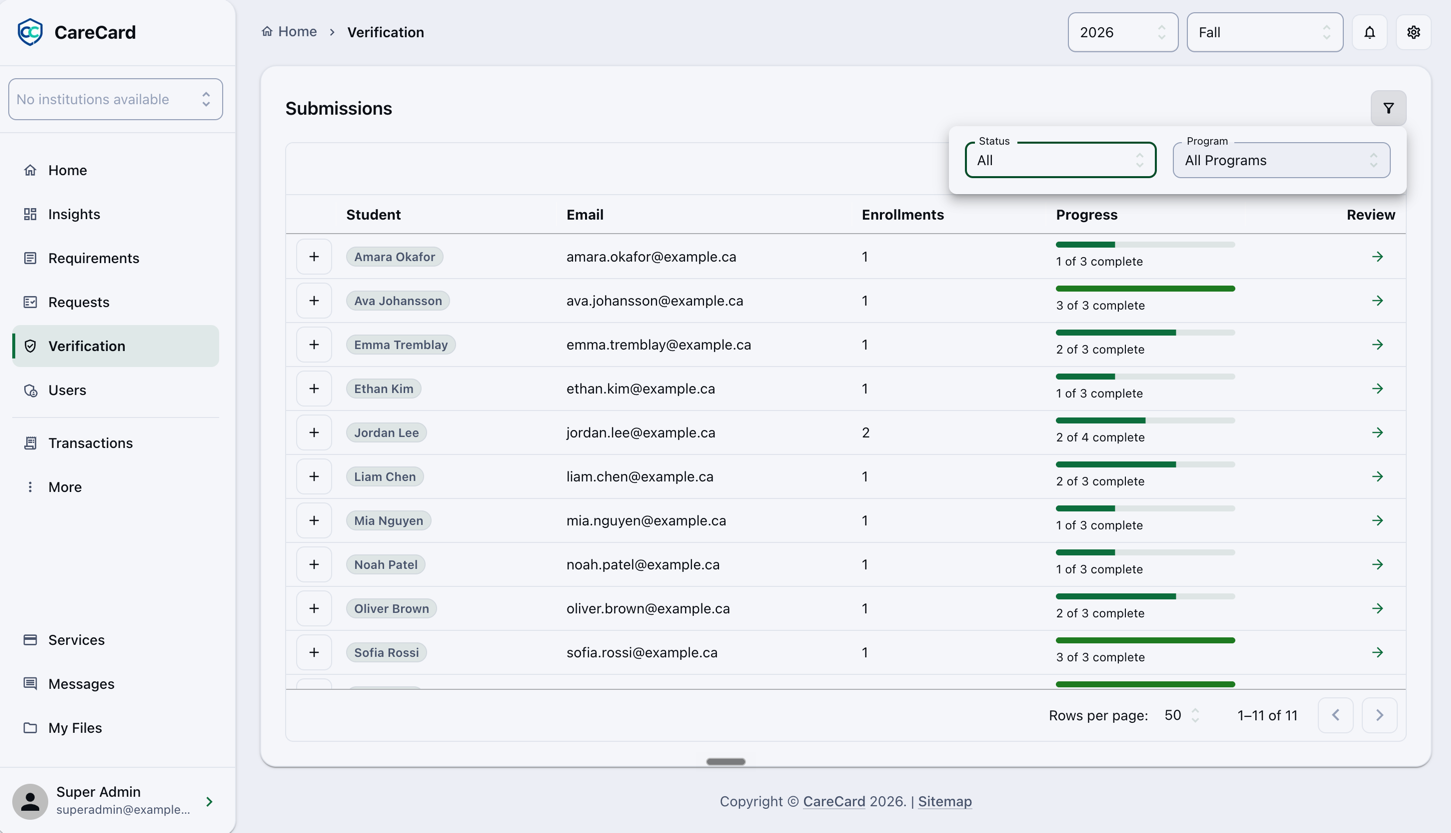
Narrow the List
- Term — The year and semester selector in the header scopes the whole list.
- Status () — Show one state at a time, such as Submitted for work waiting on a decision.
- Program — All programs, or a single one.
- Search — Type a name or email to jump to a student.
Open a Student
Select the arrow in the Review column to open Reviewing a Submission.